WhatsApp · Odoo · CRM · Helpdesk Automation
What Is WhatsApp Business Automation and How Does It Connect Customer Conversations to Workflows?
A practical guide to using WhatsApp Flows, integrations and Odoo automation to capture enquiries, create support tickets, notify teams and maintain human oversight.
Direct answer
WhatsApp business automation connects a customer conversation with the business process behind it
Customers may contact a company on WhatsApp, but the work that follows often belongs in CRM, Helpdesk, sales, service or another business system. Automation provides the controlled connection between the conversation and those operational records.
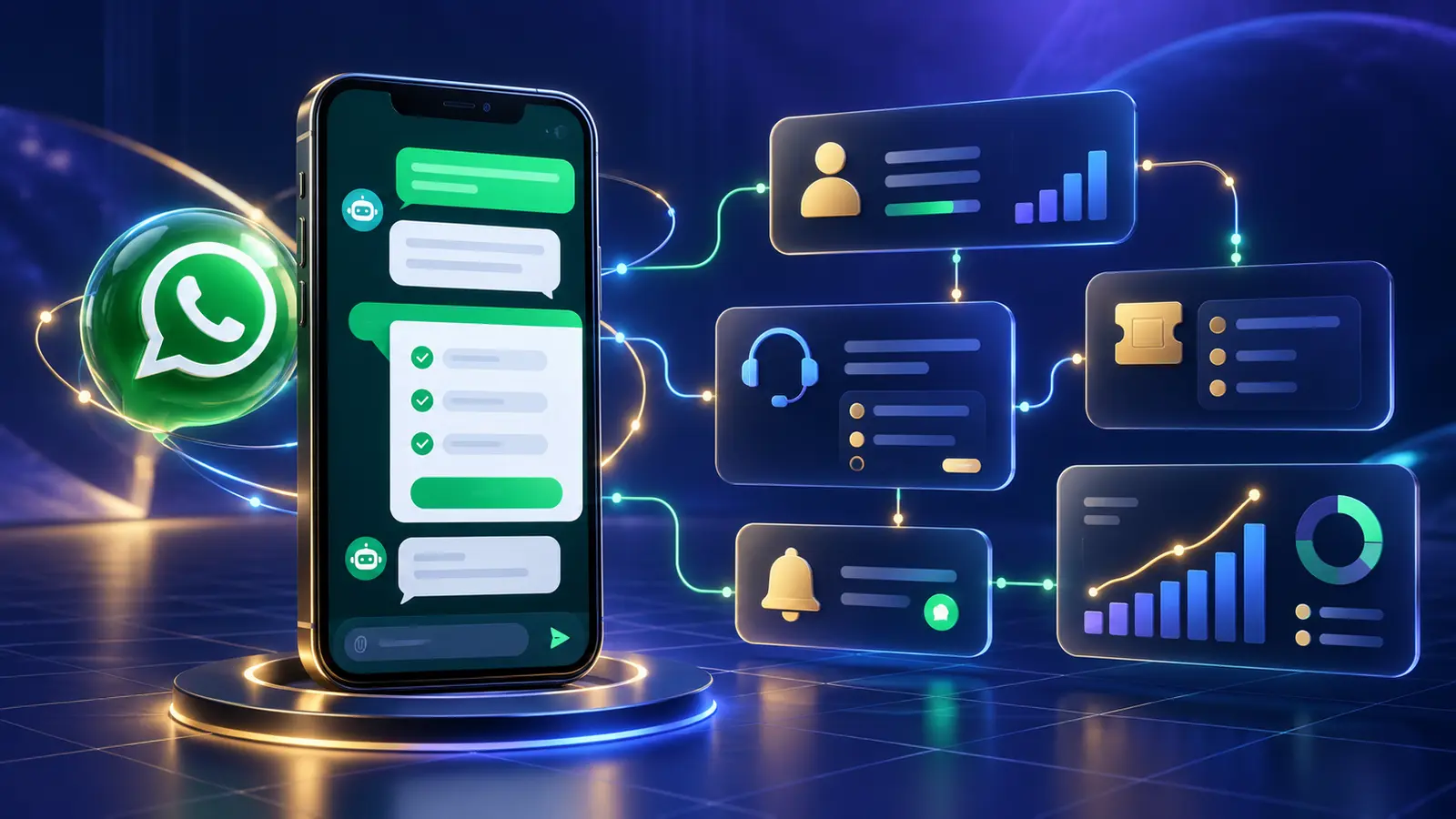
WhatsApp business automation uses the WhatsApp Business Platform, guided WhatsApp Flows, integration logic and business applications such as Odoo to collect structured information and initiate defined actions. Depending on the design, those actions may include creating a lead, opening a ticket, assigning responsibility, sending an acknowledgement or notifying a team member.
What this guide answers
Questions business owners and operations teams ask before automating WhatsApp
What can be automated?
Enquiry capture, ticket creation, acknowledgements, internal notifications and structured follow-up can be considered when the required systems and permissions are available.
What is a WhatsApp Flow?
A Flow presents guided screens that collect structured input. It can improve consistency, but the integration still determines what happens after submission.
How does Odoo fit?
Odoo CRM and Helpdesk can organize the resulting records, ownership and activities. Automation rules can support notifications and approved messages.
Solution architecture
The four components of a connected WhatsApp automation workflow
Successful automation is not a single chatbot setting. It is a coordinated design across the customer channel, data collection, integration and operating system.
WhatsApp Business Platform
The customer messaging channel requires an appropriate business account, phone number, permissions and configuration. Messaging eligibility and charges depend on the current rules and the implementation.
WhatsApp Flows
Guided screens can collect names, enquiry types, ticket details or other necessary fields. The questions should be short, relevant and designed around a clear customer outcome.
Integration layer
A connector or purpose-built service validates submissions, handles authentication, prevents duplicate actions, records errors and passes information to the correct system.
Odoo CRM and Helpdesk
CRM can organize sales enquiries, while Helpdesk can manage support requests. The exact record creation, assignment and notification rules are agreed during implementation.
End-to-end process
How a customer message becomes an accountable business action
Practical use cases
Business workflows that can begin on WhatsApp
Sales enquiries connected to CRM
A customer can select sales, identify the product or service of interest and provide essential contact information. An integration can create an enquiry in Odoo CRM, assign it according to an agreed rule and notify the sales team.
- Structured lead capture
- Ownership and team notification
- Acknowledgement of receipt
- Activities for follow-up
Support requests connected to Helpdesk
A guided journey can collect the issue category and relevant details before creating an Odoo Helpdesk ticket. The customer may receive a reference, while the support team receives a record it can own and track.
- Consistent issue information
- Ticket reference and status workflow
- Priority or team routing rules
- Escalation for unresolved requests
Callback and appointment requests
Customers can request a callback or provide their preferred contact window. The integration can create an activity or notify the responsible person, depending on the chosen process.
Customer self-service with human handover
Common questions may be answered automatically, while complex or sensitive matters move to a person. The handover design should preserve useful context and set a realistic response expectation.
TekkPak solution
Turn WhatsApp into a structured entry point for sales and service
TekkPak Technologies helps businesses map customer journeys, design WhatsApp automation and connect those journeys with operational systems. The scope may include guided conversations, WhatsApp Flows, CRM or Helpdesk integration, internal notifications and human handover.
Implementation guidance
How to plan a WhatsApp automation project
Begin with one useful journey rather than trying to automate every conversation at once. A narrow first workflow is easier to test, measure and improve.
Define the outcome
Decide whether the journey should create an enquiry, open a ticket, request a callback or perform another specific action.
Map responsibility
Identify who owns each record, how quickly it should be reviewed and what happens outside business hours.
Minimize data
Collect only what is needed for the intended action. Define access, retention and handling for customer information.
Design failure paths
Provide a clear alternative if submission, integration or record creation fails. Do not leave the customer without guidance.
Test real scenarios
Test valid, incomplete and duplicate submissions, plus human handover and system downtime.
Review and improve
Monitor errors, response times, abandoned journeys and customer feedback, then adjust the workflow responsibly.
Messaging rules
Templates, consent, service conversations and costs need separate review
A Flow, template and integration are related components, but they do not automatically determine the commercial category or cost of every conversation.
What businesses should verify
- Whether the customer initiated the conversation
- Whether an approved template is required for the message
- The applicable message category and current Meta rules
- Customer consent and opt-out requirements
- Any Meta, provider or implementation charges
Avoid assumptions
Do not assume that attaching a Flow to a template makes every interaction a service conversation or removes all charges. Review the exact trigger, message content, timing and current rules before launch.
For Odoo's native automated WhatsApp action, Odoo documents that one or more WhatsApp templates must be created. Other integration designs may operate differently.
Choose your next step
Move from an automation idea to a reviewable workflow
Discuss Your WhatsApp Automation Requirement
Tell us which customer journey you want to improve. We can help identify the Flow, integration and operational steps that may be required.
Speak with a Solutions Consultant
Call our office to discuss CRM, Helpdesk, automation and customer communication requirements.
Share Your Workflow by Email
Send a short description of the current process, systems and desired customer outcome for an initial review.
Frequently asked questions
Questions about WhatsApp Business automation and Odoo integration
What is WhatsApp business automation?
It is the use of WhatsApp business messaging, guided interactions and integrations to start defined business processes such as creating a sales enquiry, opening a support ticket or notifying a responsible team.
What are WhatsApp Flows?
WhatsApp Flows are guided screens that can collect structured customer input inside a WhatsApp journey. The Flow gathers information; the connected integration determines how that information is validated and used.
Can WhatsApp create an Odoo CRM lead?
Yes. A properly configured integration can transfer relevant enquiry information to Odoo CRM and create or update a record. The exact fields, deduplication and assignment rules depend on the approved design.
Can customers create Odoo Helpdesk tickets through WhatsApp?
A connected workflow can collect support information and create a Helpdesk ticket when the necessary Odoo application, permissions and integration are available.
Is a WhatsApp Flow the same as a chatbot?
No. A chatbot manages conversational responses, while a Flow presents guided screens for structured data collection. They can be combined within a broader customer journey.
Do automated WhatsApp messages require approved templates?
Some automated or business-initiated messages require approved templates. Odoo's native automated WhatsApp action also requires a WhatsApp template. Requirements depend on the trigger, timing and current platform rules.
Does WhatsApp automation remove the need for employees?
No. Automation is most useful for structured, repetitive steps. Businesses should retain human ownership for exceptions, judgement, complaints and sensitive matters.
How should a business begin?
Choose one high-value customer journey, define the intended business action, map responsibility and failure handling, then test it before expanding.
Ready to connect customer conversations with business action?
Discuss your use case with TekkPak Technologies. Existing customers can also access the TekkPak customer portal.
Discover more from TekkPak Technologies
Subscribe to get the latest posts sent to your email.