
Revolutionize Your Business with a WhatsApp Attendance System
Discover the ultimate Clock-in Clock-Out solution that leverages WhatsApp Business API Automation, geofencing, and intelligent routing to transform your Workforce Management — no new apps required.
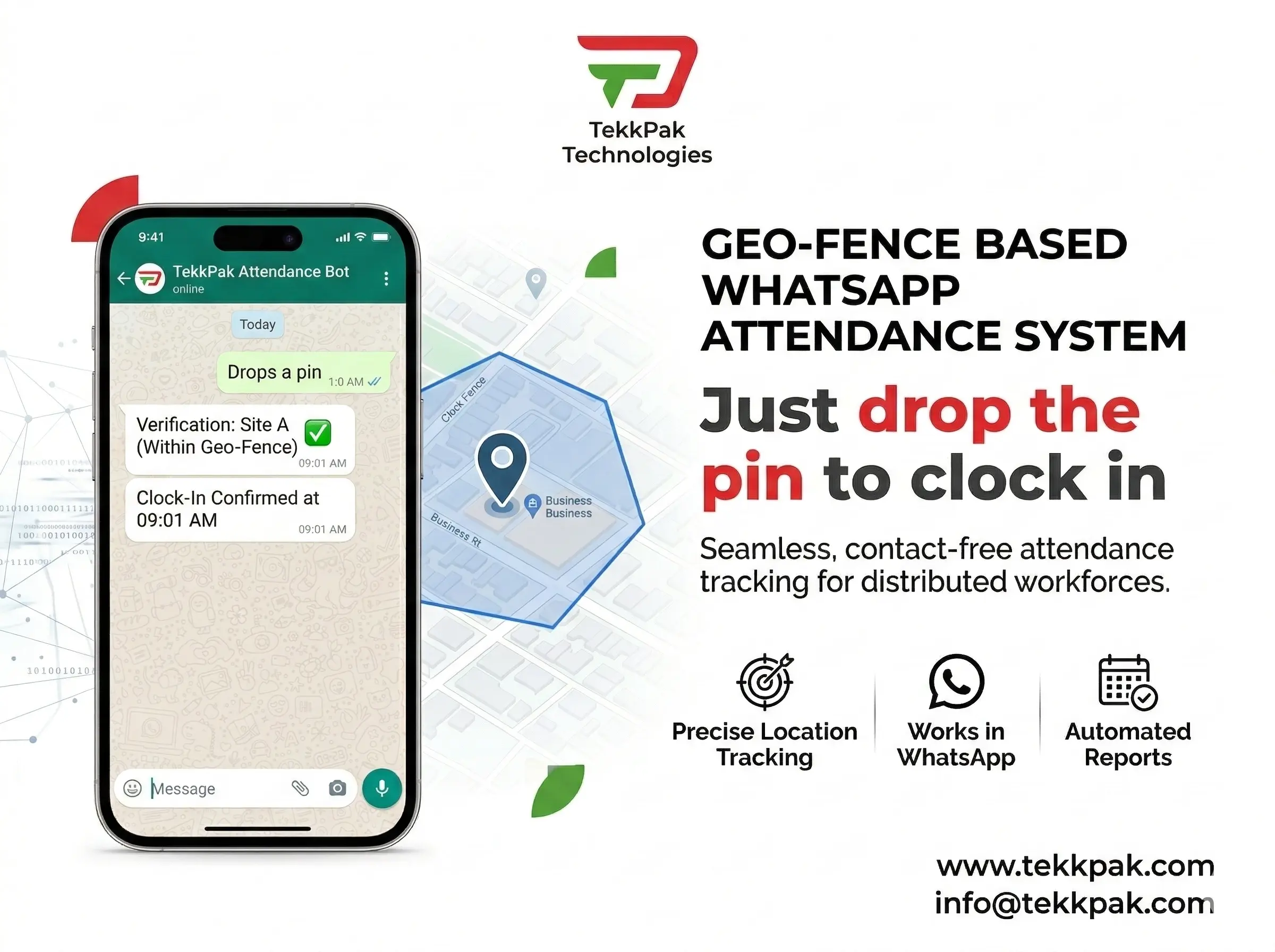
The Hidden Cost of Traditional Attendance Software
For decades, managing employee attendance has generated quiet, persistent friction for HR teams and team leads alike. Biometric scanners are bolted to office walls — useless the moment your workforce goes hybrid or field-based. Dedicated Attendance Software and mobile apps battle low adoption, forgotten credentials, and the mounting burden of technical support tickets.
The deeper issue? Every extra app you introduce to your team represents a context-switch — a moment where work stops and administration begins. In an era where employee experience is a competitive advantage, that friction has a real cost.
The best attendance system is one your employees never have to think about — it lives inside the app they already have open.
This is exactly where WhatsApp Business API Automation changes the game entirely. By embedding a sophisticated, geofenced Clock-in Clock-Out system directly into the messaging app your employees open more than 30 times a day, you remove friction at its root. No new downloads. No new passwords. No new habits to form.
One System, Three Workforce Profiles
A production-grade WhatsApp attendance bot does far more than record a timestamp. Powered by n8n automation on the backend, the system dynamically adapts its logic based on which type of employee is clocking in — ensuring every scenario is handled intelligently.
In-Office Staff
Precision Geofencing — validated to within 50 meters of your office coordinates using the Haversine formula.
Field & Construction
Project-based time tracking with interactive site menus, enabling direct man-hour cost attribution.
Remote Workers
Passive GPS geotagging that verifies the approved city of work without demanding strict radius compliance.
Use Case 1 — In-Office Staff: Precision Geofencing
When an employee texts "Check In" to the company's WhatsApp bot, they are immediately prompted to share their current live location. The backend system — built in n8n — uses the Haversine formula to calculate the exact distance between the submitted GPS coordinates and your registered office location.
If the employee is within your configured radius (typically 50 meters), attendance is recorded and a confirmation is fired back instantly. If they are at the café around the corner, the system sends a polite but firm rejection. No manual oversight needed.
Use Case 2 — Field & Construction: Project-Based Time Costing
Tracking man-hours against specific projects is a perennial challenge when your team moves between client sites daily. The WhatsApp bot activates a Time & Material (T&M) mode for field workers. Upon check-in, they receive an interactive menu listing all active projects — "Project Alpha (Downtown Site)", "Site B Maintenance", etc.
They select the relevant project, drop a live location pin to confirm on-site presence, and clock in. Your finance team gets automatic, real-time data for project billing, client invoicing, and cost reporting — without a single spreadsheet.
Use Case 3 — Remote Workers: Geotagging & Accountability
For Work-From-Home employees, enforcing a 50-meter geofence isn't practical or fair. But accountability remains non-negotiable. When a remote employee clocks in, they select the "Remote / WFH" project code. The system bypasses strict radius validation but silently captures and stores their GPS geotag.
HR can passively verify that employees are working from their approved home city, safeguarding against unauthorized international roaming while on the company clock — without invasive monitoring or micromanagement.
Traditional Software vs. WhatsApp Attendance
Forward-thinking businesses are abandoning legacy HR apps. Here's why the numbers tell a clear story.
| Feature | Traditional Attendance Apps | WhatsApp API System |
|---|---|---|
| Employee Adoption | Low — requires download, registration, and password management | ✓ 100% Native to an app employees already use daily |
| Location Accuracy | Vulnerable to fake GPS apps and IP masking tools | ✓ High Distinguishes live device GPS from manually searched locations via JSON payload |
| Project Cost Tracking | Requires manual timesheets, retroactive data entry | ✓ Automated Real-time via interactive chat menus with per-project logging |
| Maintenance Cost | High monthly per-seat SaaS fees + IT support overhead | ✓ Low Serverless backend on n8n with pay-per-use API costs only |
| Remote Worker Support | Typically absent or requires VPN workarounds | ✓ Built-in Passive city-level geotagging for WFH accountability |
| Setup Complexity | MDM enrollment, device policy configuration, ongoing IT dependency | ✓ Simple One WhatsApp number + webhook URL — no device management needed |
The Automated Workflow: Step by Step
From the moment an employee unlocks their phone to the moment your database is updated, every step is fully automated. Here is the complete intelligence pipeline:
Employee taps the WhatsApp business contact and sends "Hi", "Clock In", or a pre-set quick reply button. The Meta API webhook fires.
An interactive list menu is delivered — the employee selects their current assignment: an office location, client site, or the remote/WFH option.
The bot sends a request for a Current Location pin (not a searched address). Employee taps the attachment clip icon and shares live coordinates.
The n8n webhook receives the GPS payload. A JavaScript code node runs the Haversine formula, calculates distance-to-target, and routes to the pass or fail branch.
On validation success, the timesheet row is written to Google Sheets, PostgreSQL, or your ERP. A personalized confirmation message is sent back to the employee instantly.
At end-of-shift, the reverse flow runs. Total hours worked, project codes, and location logs are calculated and can be pushed to payroll or project management systems automatically.
Integrates With Your Existing Stack
Because the entire backend communicates via standard REST APIs, verified attendance data flows directly into whichever system you already use — no rip-and-replace required.
Security & Anti-Spoofing Architecture
A common concern is whether employees can spoof their GPS coordinates. When properly implemented via the Meta Business API, the system ingests the raw JSON location payload from WhatsApp — which contains metadata distinguishing a live "Current Location" from a manually searched and shared address.
The n8n bot is configured to reject any location message that does not carry the live GPS type flag in its payload. This makes conventional fake-GPS apps significantly less effective, as they would need to spoof at the operating system level rather than just within a map search.
Additionally, all timestamps are logged server-side, not client-side — meaning the record of when the webhook was received is controlled entirely by your infrastructure, not by the employee's device clock.
Frequently Asked Questions
Ready to Eliminate Attendance Friction?
Deploying a WhatsApp-based Attendance System is the fastest path to 100% adoption, granular project costing data, and a workforce management infrastructure your team will actually use.
Talk to a WhatsApp Automation ExpertOr email us at info@tekkpak.com · TekkPak Technologies