Upgrading from Panasonic PBX to 3CX — The Smartest Move Pakistani Businesses Can Make
How to break free from analog limitations, eliminate per-seat licensing surprises, and build a cloud-ready communications platform that scales with your business.
Panasonic PBX systems served Pakistani businesses faithfully for decades. But the era of analog telephony is over — and with the official Panasonic End of Life announcement, businesses clinging to legacy hardware face a converging set of risks that compound every quarter they delay.
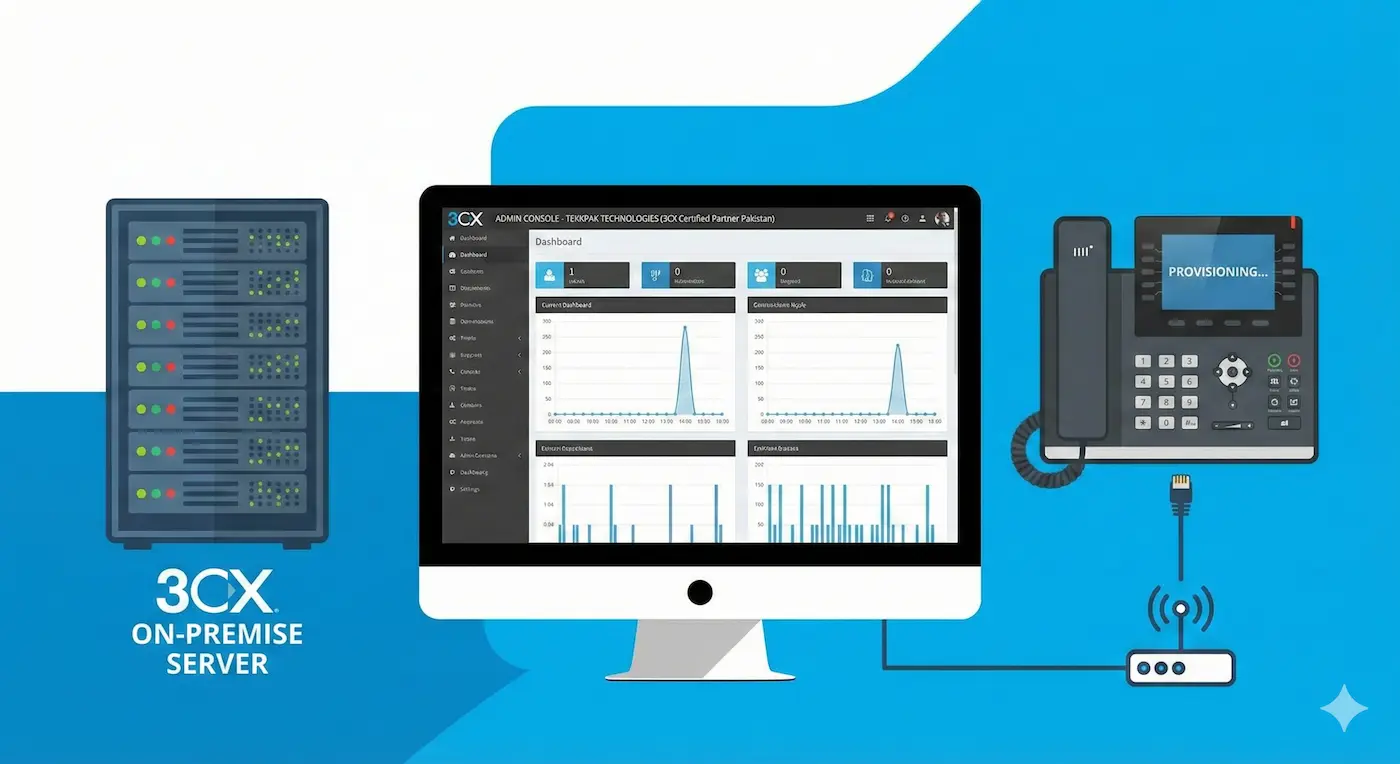
3CX is one of the world's most widely deployed IP PBX platforms — trusted by over 350,000 organisations globally. It delivers a fundamentally different model: a software-defined communications system that runs on your existing network, in the cloud, or on a private server. It unifies desk phones, mobile apps, web browsers, Microsoft Teams, and video conferencing into a single platform — managed from one intuitive web interface.
For Pakistani organisations navigating the Panasonic end-of-life transition, 3CX offers a compelling path: enterprise-grade unified communications, a generous free tier, and complete flexibility over deployment architecture.
Manufacturer Notice: Panasonic has officially discontinued its KX-NS, KX-NCP, and KX-TDA business PBX product lines. No further firmware updates, security patches, or genuine spare parts will be produced. Businesses continuing on these systems bear full operational, security, and support risk.
"Transitioning from Panasonic to 3CX is not a like-for-like phone system swap. It is a move from standalone telephony to a unified communications platform — one that your remote team, call centre, and management all access through a single system."
Six Reasons Your Panasonic PBX Is Holding Your Business Back
Beyond the end-of-life announcement itself, there are deep structural limitations in legacy analog systems that create real, daily business problems — problems that 3CX directly resolves.
Critical Security Exposure
Without firmware updates, your PBX carries unpatched vulnerabilities indefinitely. PBX fraud — attackers hijacking your lines to run up international call bills — is a well-documented, growing threat in Pakistan's business market.
Zero Remote Work Support
Your Panasonic system cannot ring a mobile phone as a business extension. Remote staff are unreachable during business hours unless physically present — an untenable situation in a hybrid working world.
Rising Maintenance Costs
Third-party technician rates for obsolete Panasonic hardware are climbing steeply. Proprietary cabling infrastructure, discontinued components, and emergency support call-outs silently drain IT budgets.
No CRM or App Integration
Modern sales and service teams depend on their phone system feeding data to Salesforce, HubSpot, Zoho, or Odoo. Panasonic cannot do this. 3CX integrates natively with all major CRM platforms out of the box.
No Video Conferencing
Video meetings are now a core business communication channel, not a nice-to-have. Panasonic PBX has no native video capability. 3CX includes a fully integrated browser-based video conferencing platform — no app downloads required for participants.
Painful, Expensive Scaling
Adding a new extension on Panasonic means purchasing a physical hardware card, scheduling a technician visit, and potentially rewiring. With 3CX, adding an extension takes thirty seconds in a browser — and costs nothing extra up to your plan's user limit.
Panasonic PBX vs. 3CX — A Complete Breakdown
This table compares the full capability gap between a typical legacy Panasonic deployment and a 3CX implementation of equivalent scale.
Legacy Panasonic PBX → 3CX Unified Communications
| Capability | Legacy Panasonic PBX | 3CX Platform |
|---|---|---|
| Architecture | Fixed hardware appliance; proprietary analog cards Legacy | Software-defined; runs on Windows, Linux, cloud VM, or Raspberry Pi Modern |
| Mobile Extensions | Not supported on personal smartphones | Full extension on iOS & Android via 3CX app — free for all users |
| Web Browser Calls | Not available | Built-in WebRTC — call directly from Chrome or Edge, no app needed |
| Video Conferencing | Not supported natively | Integrated browser-based HD video conferencing via meet.3cx.com |
| Live Chat & WhatsApp | No digital channel support | Unified inbox: live chat, WhatsApp, Facebook Messenger, SMS — all in 3CX |
| CRM Integration | Not available without custom development | Native Salesforce, HubSpot, Zoho, Odoo, Microsoft 365 integration |
| Microsoft Teams | No integration | Full Teams integration — make/receive calls from Teams interface |
| Call Centre Features | Basic hunt groups only; no real-time dashboards | Queues, live wallboards, agent status, SLA reporting, callback — included |
| Security Updates | Permanently discontinued — no patches ever again | Active firmware releases; automatic updates configurable |
| Deployment Options | On-premise hardware only | On-premise, private cloud (AWS / Azure / Google), or 3CX-hosted |
| Scalability | Physical hardware cards required per additional extension | Add extensions in browser. Plans scale from 10 to unlimited users. |
| Base Cost | Hardware + proprietary wiring + ongoing maintenance contracts | Free up to 10 users. Annual subscription per simultaneous call thereafter. |
What 3CX Brings to Your Organisation
3CX is not a single product so much as a unified communications ecosystem. Here are the capabilities that matter most for Pakistani businesses making the transition from legacy Panasonic systems.
Three Ways to Deploy 3CX — Choose What Fits Your Business
One of 3CX's defining advantages is deployment flexibility. Unlike legacy hardware PBX or rigid cloud-only platforms, 3CX lets you choose exactly where and how your phone system runs — and change your mind later as your needs evolve.
💡 3CX Pricing Model: 3CX is licensed per simultaneous call (SC), not per user. A 4SC licence supports any number of registered extensions, with 4 active calls at once — making it highly cost-effective for offices where not all staff are on the phone simultaneously. Plans start free for up to 10 users. TekkPak can advise on the right SC count for your organisation's call volume.
How TekkPak Migrates Your Panasonic PBX to 3CX
TekkPak is a certified 3CX Partner in Pakistan. Our structured migration methodology is designed to move your business to 3CX with zero downtime and minimum disruption — regardless of the size of your current Panasonic deployment.
Discovery & Communication Audit
We document your current Panasonic configuration in full — extensions, DDI numbers, IVR trees, hunt groups, call recording requirements, PSTN line types, and any integration needs. This becomes the specification for your 3CX configuration.
Deployment Architecture Decision
We advise on the optimal deployment model — on-premises server, private cloud VM, or 3CX-hosted — based on your internet connectivity, IT resources, disaster recovery requirements, and budget. We then provision and configure the environment.
3CX Configuration & SIP Trunk Setup
All extensions, queues, IVR menus, time-based routing, ring groups, and call recording rules are configured in 3CX. SIP trunks are connected and tested — including PTCL or preferred Pakistani VoIP providers — with all existing DDI numbers ported where required.
IP Phone Provisioning
Compatible IP handsets — including Grandstream GRP, Yealink T-series, or other 3CX-supported models — are auto-provisioned via 3CX's built-in provisioning server. Existing analog handsets can be retained via ATA adapters during transition.
3CX App Deployment & User Onboarding
The 3CX mobile and desktop apps are deployed to all staff. Welcome emails with QR code provisioning make self-installation trivial. A brief onboarding session familiarises teams with the app, web client, and voicemail access. Most users are fully operational within the hour.
CRM & Integration Setup
Where required, we configure your CRM integration — screen-pops, click-to-dial, and call logging to Salesforce, HubSpot, Odoo, or your chosen platform. This step transforms 3CX from a phone system into an active part of your sales and service workflow.
Go-Live & Post-Migration Support
Cutover is typically scheduled outside business hours to eliminate any risk. TekkPak provides dedicated post-go-live support for the first 30 days to fine-tune routing, resolve edge cases, and ensure every team member is fully comfortable with the new system.
TekkPak's Advantage as Your 3CX Partner in Pakistan
Choosing the right implementation partner is as important as choosing the right platform. TekkPak is a certified 3CX reseller and implementation partner with a dedicated track record across Pakistan's business market.
Frequently Asked Questions — 3CX Upgrades in Pakistan
Start Your Migration to 3CX Today
TekkPak's certified 3CX engineers are ready to assess your current Panasonic deployment and design your upgrade path — at no cost and no obligation.